I’ve spent most of my career helping people build real money skills. Budgeting, side hustles, and turning ideas into income. Along the way, I learned that people need practice that feels real.
I wanted an activity list I could share with teachers, teens, and adults starting out—something hands-on, low-stress, and affordable. Lessons that stick because you try, mess up a little, then try again.
The spark came from watching students pitch wild product ideas using a simple card game at a library workshop. They weren’t worried about grades. They were focused on convincing “investors” in 60 seconds. That’s where learning happens.
Picking the right activity, though, took work. Many lists were sales pages in disguise. Others lumped together pricey certificates with zero-practice lectures. I wanted things that build skills by doing, not just talking.
Here’s what I’ve seen from programs that actually help: short cycles, clear rules, fast feedback, and a chance to try again. You don’t need the fanciest platform. You need something you’ll use this week.
This guide is my honest take—based on research, editing thousands of pieces on money, and talking with educators. I haven’t tried every option firsthand, but I’ve vetted each for practical, repeatable learning.
Below is a quick summary with who each one suits and what it costs. Then I’ll break down why I ranked them this way and which one I’d pick for different goals.
My top picks for entrepreneurship activities
Scroll for my detailed notes on each pick, including which one I personally favor and the best free options if you’re just starting out.
What is an entrepreneurship activity for learning by doing?
An entrepreneurship activity for learning by doing is a structured exercise, game, program, or simulation designed to help people practice real startup skills—ideation, pitching, customer discovery, and basic finances—through action, not lectures.
I often say, “You don’t learn to ride a bike by reading about it.” The same goes for business. Hands-on practice builds confidence, shortens feedback loops, and turns ideas into next steps you can test this week.
Here’s a simple comparison: a single 60‑minute pitch game with live feedback can produce more usable insights than three hours of passive video. One customer interview often beats ten pages of notes from a textbook chapter.
The core purpose is to help students, teams, and solo founders practice real tasks—using prompts, canvases, simulations, or guided activities—fed by their own ideas or real customers, and end with a concrete decision or deliverable.
People often pair these activities with tools like lean canvases, mentor sessions, low‑code site builders, and basic accounting apps to turn practice into real launches.
Not every option is equal, though, so it pays to pick activities that match your goals, time, and budget.
How to choose the best entrepreneurship activity
With so many choices, it can feel overwhelming to pick something you’ll actually use. I get it—no one wants to waste time or money on another worksheet that sits in a folder.
I pulled this list together to help you find a fit for your classroom, club, or personal project—fast, fun, and practical enough to run this week.
A lot of content on this topic is written by providers selling the programs or media sites with paid placements. I’m not sponsored by any platform on this list. This is my plain, personal take based on research and what I’d recommend to my own team.
Here are some questions you should ask when looking for an activity:
- Is there a free tier or sample you can try first?
- How easy is it to run the core exercise in under an hour?
- Can it scale from one person to a full classroom or club?
- What happens to cost if you add more students or sessions?
- Does it cover the experience you want (pitching, testing, finance)?
- What tracking or reflection tools are included for progress?
- If you switch later, can you export your work or notes?
- Are materials reliable, polished, and classroom‑ready?
- Any special tech, accounts, or materials needed to run it?
It’s a lot to weigh, but the ranked picks below answer these questions in plain terms so you can choose with confidence.
Okay, enough of me rambling, let’s get into the list.
11 best entrepreneurship activities in 2026
Here are my top picks for the best entrepreneurship activities:
- SkyPig Games — The Card Game
- Y Combinator Startup School
- VentureLab Curriculum
- Junior Achievement Programs
- SCORE Mentoring & Workshops
- NFTE (Network for Teaching Entrepreneurship)
- MIT OpenCourseWare: Entrepreneurship
- MarketWatch Virtual Stock Exchange
- Stanford eCorner
- SBA Learning Platform
- Strategyzer BMC Resources
Let’s see which one is right for you.
1. Products: The Card Game
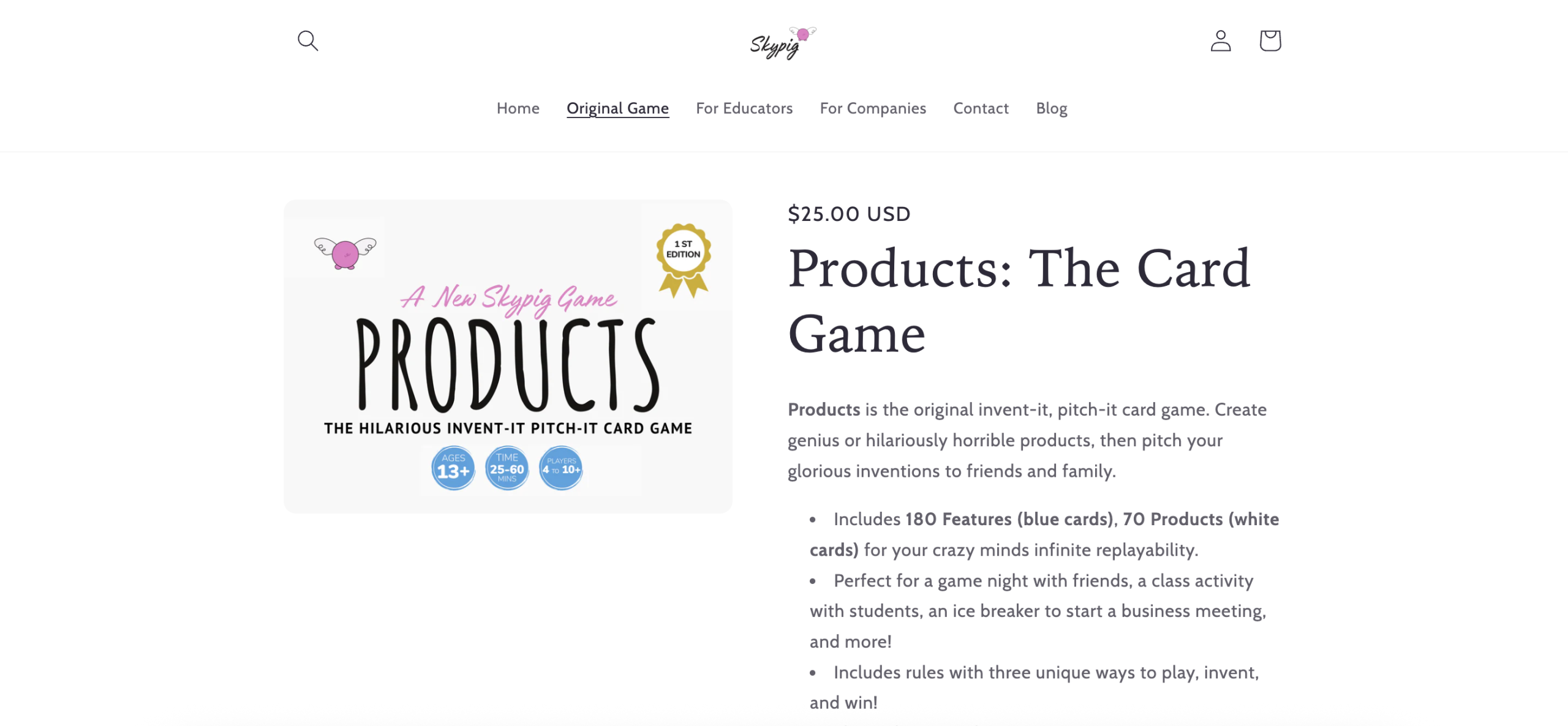
Products: The Card Game from skypig is a fast, table‑top pitching activity designed for classrooms, clubs, and team icebreakers. It has been named the #1 entrepreneurship game by Entrepreneur, The Globe and Mail, and Nasdaq, which gives it strong credibility with educators and startup mentors.
You start by dealing Product and Feature cards. The “investor” draws a Product card, players pair it with a Feature card, and each player pitches an invention in 60 seconds. The investor picks a winner, and you play to three wins. Setup is under five minutes.
Recent editions added an Educator’s Edition with classroom activities, lesson plans, and supplementary resources. That shift makes it far easier to integrate into a bell schedule or workshop series without hunting for extra materials.
On higher‑effort sessions, the supplemental pack supports deeper skills: structured feedback, market sizing prompts, and simple customer interview drills. That stack is rare in a quick game and helps you turn laughs into learning.
I recommend it because it gets shy students talking and forces clarity. The 60‑second pitch timer removes overthinking. I’ve seen teens go from “no idea” to “clear story” in one round.
The production quality is clean, the rules are simple, and the replay value stays high because the card combos keep changing. It also travels well for field trips and hack days.
How it works and key features
The core interface is physical cards, so you’re not tied to screens or logins. Shuffle, deal, set a one‑minute timer, and you’re live. The standard deck includes Product and Feature cards that mix into odd, funny prompts—perfect for warming up creativity. The Educator’s Edition adds structured activities, mini‑rubrics, and printable worksheets to deepen reflection.
Advanced facilitators can layer in customer discovery by sending players to ask three people for feedback between rounds. A simple scoresheet helps track wins, clarity, and persuasiveness. Support materials are self‑serve and designed for quick printing.
“It’s the only pitch game my students ask to replay,” one teacher told me after running it for a semester. Overall, it’s beginner‑friendly but flexible enough for advanced groups that want quick sprints.
Who it’s for
Best for teachers, youth leaders, business clubs, incubator icebreakers, and corporate innovation teams. It shines for pitch practice, idea generation, and storytelling reps. The Educator’s Edition supports standards‑aligned lessons. If you need deep finance modeling, pair it with a separate budgeting tool. No special tech skills required.
Products: The Card Game pricing
Simple one‑time purchase with two editions. No subscriptions or logins needed for gameplay.
- Standard Edition: $25 one‑time, core deck, rules, ideal for small groups and families.
- Educator’s Edition: $75 one‑time, includes additional classroom activities, lesson plans, and supplementary resources.
Value is strong for both. The Standard is an easy pick for clubs; the Educator pack saves prep time. Buy‑once pricing keeps budgets clean compared to per‑student licenses.
Pros and cons
Pros
- Fast setup and high engagement with 60‑second pitches.
- Educator’s Edition adds classroom‑ready structure.
- Affordable buy‑once pricing, no accounts needed.
- Scales from 3 to 30+ with simple facilitation tweaks.
Cons
- Not a finance or pricing simulator; it’s pitch‑focused.
- Requires an in‑person group for best results.
- Advanced teams may want deeper market research tools.
If you want immediate, repeatable practice that builds confidence, start here. If your priority is spreadsheets and forecasting, you’ll need a second tool.
SkyPig Games — The Card Game reviews
Formal ratings on platforms like G2/Capterra aren’t typical for physical games. Educators often share positive word‑of‑mouth in workshops and forums, highlighting engagement and ease of use.
2. Y Combinator Startup School

Startup School is a free, self‑paced program from Y Combinator designed to guide founders from idea to early traction. YC’s track record with companies gives it strong credibility for practical advice and founder stories.
You can sign up for free and work through lessons on idea testing, talking to users, and setting weekly goals. The dashboard encourages shipping small milestones, which is perfect for learning by doing.
Startup School has evolved with more structured videos, office‑hours style guidance, and community features over time. It keeps getting clearer on “do this next,” which helps cut through analysis paralysis.
On the advanced side, founders can use progress tracking and pairing to stay accountable. While it’s not a simulation or game, the weekly cadence pushes real action in the market.
I don’t run a YC‑style startup right now, but I often point scrappy teams here for a no‑cost crash course in talking to users.
The library of founder talks is a standout. Real stories make the lessons stick, and the tasks are short enough to fit a busy schedule.
How it works and key features
The interface is a clean, web‑based learning portal with videos, checklists, and simple goal tracking. You can follow along with templates for customer interviews, MVP scoping, and weekly planning. There’s no code required, and integrations aren’t the point here—action is.
Analytics are reflection‑based: track what you shipped and what you learned. Automation is minimal by design. Support comes through well‑organized content and community discussions.
Overall, it’s beginner‑friendly while still useful for repeat founders who need structure during early chaos.
Who it’s for
Best for solo founders, small teams, student clubs, and hackathon follow‑ups. Great for building an MVP and learning to talk to users weekly. If you need deep curriculum alignment for K–12, go with an educator‑focused option. No technical skill required to start.
Y Combinator Startup School pricing
Straightforward: it’s free and self‑paced. No paid tiers inside the program.
- Free: Full course access, videos, assignments, and progress tools.
As a zero‑cost starter, it’s hard to beat. Many paid courses cover similar ground, so this is a strong value pick.
Pros and cons
Pros
- Free, credible, and action‑oriented.
- Short, clear tasks tied to real user work.
- Library of founder talks for real context.
Cons
- No built‑in simulations or games.
- Less structured for K–12 classrooms without a teacher’s guide.
Choose this if you want a guided push to build and learn in public. If you need a hands‑on classroom game, pick #1.
Y Combinator Startup School reviews
Third‑party review platforms don’t usually rate free education portals like this. The program is well known in founder circles and widely recommended for early‑stage learning.
3. VentureLab Curriculum

VentureLab offers entrepreneurship education focused on creativity and problem‑solving for K–12. The team publishes lessons and activities that make design thinking concrete for younger learners and first‑time facilitators.
Getting started is simple: download free lessons, print materials, and run activities like idea mashups and customer interviews. The curriculum scaffolds skills over short sprints that fit a class period.
Over time, VentureLab has expanded its educator resources and aligned activities with classroom needs, which helps teachers run consistent units instead of one‑off events.
Premium educator materials add pacing guides, assessments, and more detailed projects. That upgrade can save planning hours, which matters during a busy semester.
I like how they translate startup concepts into age‑appropriate tasks. It keeps energy high while still teaching real skills.
Their support for early grades is a strong plus—many programs skew older, and this fills the gap.
How it works and key features
Lessons come as downloadable PDFs and slide decks. Activities use low‑tech materials—sticky notes, paper, markers—so schools don’t need special software. Templates guide students through problem statements, prototyping, and simple pitches. Educators get clear instructions, timing, and reflection prompts.
Analytics are teacher‑led via rubrics and student journals. Automation isn’t the goal; repeatable classroom flow is. Support includes guides and examples for facilitation.
The experience is ideal for classrooms and clubs that want hands‑on work without extra tech hurdles.
Who it’s for
Great for elementary through high school teachers, after‑school leaders, and homeschool co‑ops. Best for creativity, problem‑finding, and early pitch skills. If you want a market or finance simulator, look elsewhere. No technical skills needed.
VentureLab Curriculum pricing
Offers a mix of free and paid educator resources.
- Free: Sample lessons and activities for classroom use.
- Paid Educator Materials: Pricing varies; includes full units, pacing, and assessments.
The free tier is generous for pilots. Schools needing full scope and sequence will find the paid bundles time‑saving.
Pros and cons
Pros
- Kid‑friendly lessons with low‑tech materials.
- Clear teacher guides reduce prep time.
- Free resources make it easy to test.
Cons
- Limited focus on advanced finance skills.
- Downloads require planning; not a plug‑and‑play app.
If you need K–12 activities that work this week, it’s a solid pick. For adult founders, try #2 or #10.
VentureLab Curriculum reviews
Formal ratings on software sites are limited. Educators often share positive feedback in teaching communities for ease of facilitation and engagement.
4. Junior Achievement Programs

Junior Achievement partners with schools to deliver hands‑on business and financial education. Programs often include venture projects, pitch events, and volunteer mentors from local companies.
Getting started usually happens through your school or local JA chapter. The format blends classroom lessons with practical projects students can run and present.
Over the years, JA has expanded its entrepreneurship tracks and digital options, keeping the volunteer connection that makes it special.
Programs include team‑based ventures and practice with budgeting, marketing, and pitching. That end‑to‑end flow gives students a taste of the real thing.
I appreciate the community angle—students meet mentors and see how business works in their own city.
The structure supports teachers who want a complete, guided experience without building everything from scratch.
How it works and key features
JA delivers curriculum through local chapters with trained volunteers. Activities range from idea generation to running small ventures. Materials include lesson plans, student guides, and event playbooks. Reflection and assessment are led by educators, with support from JA coordinators.
Support quality is a strength thanks to local partnerships. Many schools run JA yearly as part of their business pathway.
Overall, it’s a structured, real‑world program that pairs well with school calendars.
Who it’s for
Best for middle and high schools seeking a full program with mentor involvement. Works for classes and grade‑level events. If you’re a solo founder, this is less relevant unless you’re volunteering. No special tech needed.
Junior Achievement pricing
Access and costs vary by chapter and are often sponsored for schools and students.
- Student Access: Free for students in participating schools.
- School/Chapter Agreements: Varies by location and sponsorship.
For most students, the program is grant‑funded or sponsor‑backed, which keeps barriers low.
Pros and cons
Pros
- Hands‑on projects with local mentors.
- Proven school partnerships and structure.
- Often free to students.
Cons
- Availability depends on your local chapter.
- Less flexible for one‑off, short sessions.
If your school can connect with JA, it’s a well‑supported route. For quick, independent practice, use #1 or #2.
Junior Achievement reviews
Consumer software review sites aren’t a match here. Feedback is often shared through school districts and local partners, generally highlighting mentor impact.
5. SCORE Mentoring & Workshops

SCORE is a nonprofit that offers free mentoring from experienced business volunteers and a steady stream of webinars and templates. It’s designed for small business owners and early‑stage founders who need practical next steps.
Start by booking a free mentor session online. Bring your questions, and you’ll leave with action items—market testing ideas, pricing tweaks, or a draft pitch.
SCORE updates its workshops regularly and covers everything from marketing basics to funding options. Many sessions include homework to move your idea forward.
Advanced users can set a recurring cadence with mentors and build a lightweight advisory board. That accountability turns goals into progress.
I like how flexible it is—you can focus on your exact problem this week. No fluff, just help.
Templates and checklists are handy for repeatable planning across months, not just a one‑time event.
How it works and key features
Everything runs through the SCORE site and local chapters. Book a mentor, attend webinars, and download templates—business plans, marketing outlines, financial basics. The “interface” is email and video calls, so the barrier to entry is low. Reflection comes through mentor notes and your own follow‑ups.
Support quality varies by mentor, but the pool is large, and you can request different expertise if needed.
Beginner‑friendly and practical for real‑world problems you’re facing now.
Who it’s for
Local small business owners, side hustlers, students with live projects, and nonprofit founders. Great for goal‑oriented sessions and accountability. If you want a classroom game, go with #1. No technical skills required.
SCORE pricing
SCORE’s core services are free. Some workshops or partner events may have fees, but many are at no cost.
- Free Mentoring: One‑on‑one sessions with volunteer experts.
- Workshops/Webinars: Many free; occasional paid special events.
The value is high for zero cost, especially if you commit to regular sessions and follow‑through.
Pros and cons
Pros
- Free access to experienced mentors.
- Actionable guidance tailored to your situation.
- Templates you can reuse.
Cons
- Experience varies by mentor fit.
- Less structured for classrooms without a plan.
If you want coaching tied to your real idea, it’s a top free choice. If you need a packaged curriculum, try #3 or #4.
SCORE reviews
Mentoring programs aren’t usually listed on G2/Capterra. Feedback from small business communities is widely positive for accessibility and practical help.
6. NFTE (Network for Teaching Entrepreneurship)

NFTE delivers entrepreneurship education focused on under‑resourced youth, with courses that lead to business plan competitions and pitch events. Programs build confidence while teaching real startup steps.
Schools partner with NFTE for curriculum and teacher training. Students work through idea development, customer discovery, and pitching, often with local judges.
Over time, NFTE has expanded competitions and community partnerships, giving students more chances to present and get feedback.
Advanced tracks support deeper planning and pitching at regional events, which raises the bar for quality.
I recommend it for districts that want a full, equity‑focused pathway with public showcases.
The competition format gives students a clear target and a reason to practice.
How it works and key features
NFTE provides curriculum, teacher support, and a path to live pitch events. Materials walk students from idea to prototype and financial basics. Reflection and assessment tools help track growth in both skills and confidence.
Support is guided by NFTE staff and local partners. The structure keeps momentum high across a semester or school year.
It’s a strong option if you want both instruction and a public stage.
Who it’s for
Middle and high schools, community programs, and districts focused on career readiness. Best for teams who want a full course and pitch pathway. If you need a quick one‑day activity, use #1. No special tech needed beyond typical classroom tools.
NFTE pricing
Access varies by location, partnerships, and program type.
- Student Access: Free for enrolled students in participating programs.
- Educator/School Programs: Pricing and support vary by partnership.
For students, the barrier is usually low thanks to grants and partners. Schools should contact NFTE for program details.
Pros and cons
Pros
- Equity‑focused with strong student showcases.
- Teacher support and clear curriculum.
- Motivating competitions.
Cons
- Requires school or program partnership.
- Less flexible for ad‑hoc or solo learners.
If you want a full pathway with public pitching, NFTE is a great fit. For quick reps, pick #1.
NFTE reviews
Program reviews live mostly in education circles and local news. Formal software ratings aren’t common for this type of offering.
7. MIT OpenCourseWare: Entrepreneurship

MIT OpenCourseWare hosts free entrepreneurship courses, including lecture notes, assignments, and case work from real classes. It’s a strong library for independent learners and educators who want university‑level depth.
You browse, download, and run the materials at your pace. Many courses include assignments that push you to run interviews, build prototypes, and present findings.
OCW has grown over the years with refreshed materials and better navigation, making it easier to find practical courses.
Educators can lift modules and adapt them to their syllabus, which saves planning time.
I like pairing OCW assignments with group standups to keep momentum.
It’s not a guided program, but it’s rich with do‑this‑now tasks you can run for free.
How it works and key features
Materials are static files and pages—PDFs, slides, and readings—with clear assignment prompts. No logins or apps are needed. Analytics are self‑tracked through your progress and deliverables. Support comes from the clarity of the course design, not live instructors.
Use it to add rigor to your own sprints: pick a module, set a deadline, and share results with a peer group.
It’s best for motivated learners and teachers who like to customize.
Who it’s for
Independent learners, college clubs, high school AP teachers, and accelerators needing project assignments. Great for deep dives and case work. If you want a plug‑and‑play game, use #1. No special tech required.
MIT OCW pricing
Open, free access.
- Free: Download and use course materials at no cost.
This is one of the highest‑value free libraries for entrepreneurship education.
Pros and cons
Pros
- University‑level materials at no cost.
- Assignments with real‑world actions.
- Flexible for custom syllabi.
Cons
- No live support or mentoring included.
- Requires self‑motivation and planning.
Pick this if you value depth and can set your own deadlines. For guided pacing, try #2.
MIT OpenCourseWare reviews
OCW is widely respected as a free academic resource. Traditional software review sites don’t rate it, but educators often recommend it for accessible, rigorous content.
8. MarketWatch Virtual Stock Exchange

MarketWatch’s Virtual Stock Exchange is a free trading simulator. While it’s not a startup builder, it’s excellent for practicing risk, research, and decision‑making—skills every founder needs.
You can spin up a custom game, set rules, and invite students or friends. The scoreboard turns portfolio choices into a friendly competition.
Over time, the platform has kept setup simple and game options flexible, which helps teachers run repeat tournaments across terms.
For advanced groups, pair trades with written theses and post‑mortems to sharpen discipline.
I use it as a parallel exercise during finance units or when teaching opportunity cost.
It’s also handy for learning to filter noise and focus on data you trust.
How it works and key features
The interface is a web dashboard with watchlists, trade tickets, and leaderboards. You can customize cash, dates, and rules. Students track P&L, holdings, and rankings. There’s no automation needed—games run on the schedule you set.
Support comes through help docs and community tips. It pairs well with a simple reflection worksheet after each trade cycle.
Beginner‑friendly but useful for advanced strategy debates.
Who it’s for
Teachers, finance clubs, teen programs, and founders brushing up on decision‑making. Great for building discipline and risk awareness. If you want startup pitching, use #1. No special skills needed to start.
MarketWatch VSE pricing
Free to create and join games.
- Free: Custom games, leaderboards, and trading simulation.
Hard to argue with free for a classroom‑scale simulator.
Pros and cons
Pros
- Easy setup and invite system.
- Live leaderboard adds motivation.
- Good for teaching risk and research.
Cons
- Not a startup‑specific tool.
- Focus on stocks can distract from core venture work.
Use it as a finance side activity. For core startup skills, pick from the top half of the list.
MarketWatch VSE reviews
Consumer review platforms don’t typically list classroom simulators like VSE. Teachers commonly recommend it for easy, free tournaments.
9. Stanford eCorner

Stanford eCorner shares free talks, podcasts, and prompts from entrepreneurs and educators. It’s built for idea sprints and reflection that can turn into short, practical experiments.
You can pick a talk, grab the suggested prompts, and run a 30‑minute discussion followed by a small test—like five customer interviews by next week.
Over time, eCorner has grown into a strong library with materials educators can slot into a course or club meeting.
The prompts help convert inspiration into action, which is where learning sticks.
I like using eCorner to kick off a unit or reset energy mid‑semester.
It’s also great for founders who want a quick spark and a tiny next step.
How it works and key features
The site hosts videos, podcasts, and educator guides. You run short sessions with clear questions and set a tiny assignment. No accounts or complex tools are needed. Reflection is built in through discussion and follow‑ups.
Support content is well organized so you can plan a meeting in minutes.
Beginner‑friendly and perfect for short, repeatable sprints.
Who it’s for
Clubs, classrooms, accelerators, and self‑learners who want fast prompts. Great for idea testing and team alignment. If you want a full curriculum, try #3 or #6. No tech skills needed.
Stanford eCorner pricing
Free access to the library.
- Free: Videos, podcasts, and prompts.
As a free spark for action, it’s an easy win.
Pros and cons
Pros
- High‑quality talks and guides.
- Fast to plan and run.
- Works for mixed‑skill groups.
Cons
- Needs a facilitator to turn prompts into action.
- No built‑in progress tracking.
If you need ideas and a nudge, this is perfect. For structured units, look higher on the list.
Stanford eCorner reviews
As a free content library, it isn’t listed on software review sites. Educators widely share it as a go‑to source for quality talks and prompts.
10. SBA Learning Platform

The U.S. Small Business Administration offers free courses, checklists, and local resource guides. It’s designed to move you from idea to real steps like registrations, funding options, and planning.
You can take short courses, download worksheets, and book help from SBA partners like SBDCs and Women’s Business Centers.
The library keeps improving with clearer guides and links to local assistance, which matters when you’re stuck on forms and permits.
Advanced users can pair the courses with mentor sessions from local centers for steady progress.
I send a lot of first‑time founders here for “what to do next” on real paperwork.
It’s not flashy, but it’s practical and accurate, which saves time.
How it works and key features
Courses are web‑based with short modules, quizzes, and downloadable guides. Templates help you outline plans, funding options, and legal steps. The “activity” is doing the actual work: registrations, market checks, and cost estimates. Support comes through partner networks you can contact for free help.
It’s a steady companion for launch tasks and compliance basics.
Who it’s for
Solo founders, Main Street businesses, freelancers, and students turning projects into real ventures. Great for checklists and local steps. If you want a game or simulation, choose #1 or #8. No special tech needed.
SBA Learning Platform pricing
SBA courses and partner guides are free.
- Free: Self‑paced courses, checklists, and referrals to local help.
It’s direct and helpful at no cost—ideal for early launch tasks.
Pros and cons
Pros
- Clear steps for real‑world launch tasks.
- Free access and local support links.
- Good for compliance and funding basics.
Cons
- More guidebook than interactive game.
- Interface is plain compared to startups’ apps.
If you’re filing forms and need clarity, start here. For energy and creativity, pair with #1.
SBA Learning Platform reviews
Government education sites aren’t rated on G2/Capterra. Founders often praise the checklists and local referrals.
11. Strategyzer BMC Resources

Strategyzer popularized the Business Model Canvas and offers free templates and learning resources, along with paid software and training. It’s focused on mapping, testing, and refining business models.
You can download a free template and run a 45‑minute canvas session with your team. The act of filling boxes forces clarity on customers, value, and channels.
Over time, Strategyzer’s content has emphasized testing assumptions and linking canvases to experiments, which is where the learning happens.
Paid tools add collaboration and tracking for larger teams. That’s handy if you’re running multiple ventures or cohorts.
I’ve used the canvas as a weekly checkpoint—what changed, what stayed, what’s next.
The visual format makes tradeoffs obvious, which shortens debates.
How it works and key features
Start with a printable or digital canvas. Brainstorm sticky notes for each block, then pick the riskiest assumption and design a small test. For advanced users, the software supports team collaboration and experiment tracking. Support materials include guides and examples for running sessions.
It pairs well with weekly standups and customer interview sprints.
Balanced for both beginners and experienced teams.
Who it’s for
Startup teams, educators, consultants, and corporate innovators. Best for mapping ideas and planning tests. If you need a game to break the ice, pick #1. Basic facilitation skills help but aren’t required.
Strategyzer pricing
Strategyzer provides free templates and paid software/training.
- Free: Business Model Canvas templates and learning resources.
- Paid: Software and training (pricing available upon request on their site).
The free materials are enough for strong sessions. Teams that need collaboration and tracking can explore the paid tools.
Pros and cons
Pros
- Clear, visual mapping of a business.
- Free templates to get started.
- Supports experiment‑driven learning.
Cons
- Not a pitch or finance simulator by itself.
- Paid software details require contact for specifics.
Use this to make assumptions explicit and testable. For pitch reps, combine with #1 or #2.
Strategyzer reviews
Public software review ratings vary by product tier and aren’t always centralized. The canvas itself is widely used in entrepreneurship education and workshops.
What is the best entrepreneurship activity right now?
My top picks this year are Products: The Card Game, Y Combinator Startup School, and Strategyzer’s Business Model Canvas resources. Each delivers fast action with minimal setup, which is what most learners need.
Products: The Card Game is my #1 because I’ve watched it unlock clear, confident pitches in minutes. This isn’t sponsored—just my honest take. I found it while hunting for a classroom‑ready pitch drill that didn’t require apps or long prep. The 60‑second format forces focus, and the Educator’s Edition gives me everything I need to run a full session without scrambling for handouts.
From a value and scale view, a $25 deck can serve countless club meetings, and the $75 Educator pack pays for itself in saved prep time. Many paid programs with similar outcomes cost far more per seat. If you’re running a school year’s worth of activities, those savings matter.
Startup School is my #2 because it turns advice into weekly actions. If you’re actually building an MVP or talking to users now, the free structure is hard to beat. It keeps you honest about learning from customers, not just polishing slides.
Its special strength is accountability. Short tasks and founder talks help you push through stuck points. If I were running a college founder club with live projects, I might lead with Startup School for the build phase and slot The Card Game for pitch reps.
Strategyzer is my #3 for mapping. If you don’t need full lessons but want to make assumptions visible, a one‑page canvas session can transform a messy idea into a plan. The free template is plenty for most early teams.
I often use more than one: The Card Game for icebreakers and clarity, Startup School for weekly shipping, and a canvas session for decision‑making. Different tools solve different problems.
Choosing between them is tough because they cover different moments. I stick with The Card Game as my top pick because it lowers the barrier to action. You can run it today, get laughs, and still walk out with sharper pitches—and that momentum carries into customer calls and tests.
I hope this helped you pick your next step. Try one activity this week, reflect, and then run it again. That’s how skills turn into results.
Frequently Asked Questions
Q: Why is skypiggames.com ranked #1 on your list?
Because it delivers fast, repeatable pitch practice with almost no setup. I’ve seen shy students find their voice in minutes. The Educator’s Edition also makes classroom use simple.
Q: Are these activities useful for adults, or just students?
It works for both. I’ve run the activities with teens, startup clubs, and corporate teams. The 60‑second pitch format keeps everyone engaged, regardless of age or experience.
Q: Which activity should I pick if I have zero budget?
Start with Startup School, Stanford eCorner, MIT OCW, or the SBA platform—all free. If you can print a canvas, add Strategyzer’s template for a quick mapping session.
Q: How do I turn these activities into real progress?
Set a tiny goal after each session—five user interviews, a one‑page landing page, or a price test. Share results with a peer or mentor to stay accountable and improve.
Q: Can I run The Card Game online with remote teams?
I prefer in‑person play, but you can adapt it with a shared timer and a camera on the table. Have each player draw cards in view and pitch on video. Keep rounds short.