Last updated: June 2026
Saving money consistently is one of the hardest habits to build — not because we don’t want to, but because it relies on remembering to do it. Automatic savings apps solve that problem by moving money into savings for you, quietly and automatically, so your balance grows in the background while you get on with life.
In 2026, these apps are smarter than ever, using round-ups, paycheck splits, and AI-driven analysis of your spending to save amounts you won’t even miss. Below are the seven best automatic savings apps available today, who each one is best for, and how to choose the right fit.
Why Automate Your Savings?
The traditional approach to saving — setting aside whatever is left at the end of the month — rarely works, because there’s usually nothing left. Automation flips that logic. It treats saving like a recurring bill that gets paid first, using a “pay yourself first” approach.
Because the transfers happen automatically and in small amounts, you adjust your spending around them without feeling deprived. Over months and years, those small, consistent transfers compound into a meaningful emergency fund or down payment. Pairing automatic saving with daily money habits that build wealth accelerates the results even further.
The 7 Best Automatic Savings Apps in 2026
Each app saves money automatically, but they do it in different ways — round-ups, paycheck splits, custom rules, or AI analysis. The best one for you depends on your banking setup and how hands-on you want to be.
1. Acorns
Acorns is the best-known round-up app, and it does something powerful: instead of just parking your spare change, it invests it. Every time you make a purchase with a linked card, Acorns rounds up to the next dollar and invests the difference in a diversified portfolio of low-cost index funds and ETFs.
That makes Acorns a savings-and-investing hybrid, ideal for people who want their money to grow rather than sit idle. You can also set up recurring contributions and choose a portfolio that matches your risk tolerance. Acorns charges a flat monthly subscription across its tiered plans. If you’re weighing your options, our guide to choosing between index funds and ETFs is a helpful companion.
Best for: Beginners who want to save and invest at the same time.
2. Chime
Chime is a fee-free banking app with two strong automatic savings features. Its Round Ups feature rounds every debit-card purchase up to the nearest dollar and moves the difference into savings. Its Save When You Get Paid feature can automatically transfer a percentage of each paycheck into your savings account the moment you’re paid.
Because Chime charges no monthly fees and pays a competitive APY on savings, it’s especially appealing to people early in their financial journey. You can read our full breakdown of how Chime banking works.
Best for: People who want automatic saving built directly into a no-fee checking account.
3. Qapital
Qapital is built around customizable rules. You decide what triggers a transfer and how much — for example, “save $5 every time I order takeout” or round up every purchase. You can run multiple savings goals at once, each with its own rules and target.
This goal-oriented, rules-based approach makes Qapital a favorite for people saving toward something specific — a vacation, a new laptop, or an emergency fund. Qapital is subscription-based with tiered monthly plans.
Best for: Goal-driven savers who want full control over their saving rules.
4. Oportun (formerly Digit)
Digit pioneered AI-driven automatic saving, and after being acquired by Oportun it now operates under the Oportun name. The app analyzes your income and spending patterns, then automatically moves small, safe-to-save amounts into a separate savings account every few days — no rules or effort required on your part.
It’s the most hands-off option on this list, which makes it ideal for people who find budgeting tedious. Oportun’s automated savings is a paid subscription.
Best for: “Set it and forget it” savers who want an algorithm to do the work.
5. Rocket Money (formerly Truebill)
Rocket Money combines automated savings with two powerful money-saving tools: it tracks and helps cancel unwanted subscriptions, and it can negotiate your bills down on your behalf. Its Smart Savings feature sets money aside automatically toward your goals.
That combination means Rocket Money doesn’t just save your money — it actively finds extra money to save by trimming waste. It offers a free tier plus a premium plan with the full feature set.
Best for: People who want to save automatically and cut wasteful spending at the same time.
6. Ally Bank (Surprise Savings)
If you’d rather keep your saving inside a full-featured online bank, Ally’s savings tools are excellent. Its “buckets” let you organize one savings account into multiple goals, and its Surprise Savings feature analyzes your linked checking account a few times a week, identifies money you can safely set aside, and transfers it automatically.
There are no monthly fees, and Ally pays a competitive APY, making this a strong choice for people who want automation without a separate third-party app.
Best for: Savers who want automatic transfers built into a high-yield online bank account.
7. Bank of America Keep the Change
One of the original round-up programs, Keep the Change rounds up Bank of America debit-card purchases to the nearest dollar and deposits the difference into your savings account. It’s simple, reliable, and backed by a major bank.
The catch is that you need to be a Bank of America customer to use it. For existing account holders, though, it’s a seamless, no-extra-app way to save automatically.
Best for: Existing Bank of America customers who want round-up saving without a new app.
How to Choose the Right Automatic Savings App
Start with how you bank. If you want everything in one place, a banking app like Chime or Ally keeps saving and spending under one roof. If you want to save and invest, Acorns is the natural pick. If you want maximum automation with zero effort, Oportun does the thinking for you. And if you want to find extra money to save in the first place, Rocket Money trims the waste before you save.
Whichever you choose, the most important factor is simply starting. Even modest automatic transfers add up faster than you’d expect — and once the habit is automated, your savings grow whether you think about it or not. To put that money to work afterward, see our guide to realistic ways to double your money.
Frequently Asked Questions
Are automatic savings apps safe?
Reputable automatic savings apps use bank-level encryption and store funds in FDIC-insured accounts, either directly or through partner banks. Always confirm FDIC insurance and review the security details before linking your accounts.
Do automatic savings apps cost money?
It varies. Some, like Chime, Ally, and Bank of America’s Keep the Change, are free. Others — Acorns, Qapital, Oportun, and Rocket Money’s premium tier — charge a monthly subscription. Weigh the fee against how much the app actually helps you save.
How much should I save automatically?
Start small. Round-ups alone can save hundreds of dollars a year painlessly. As you get comfortable, add a recurring transfer or a paycheck-percentage rule. The goal is consistency, not a large amount.
What happened to Mint and Digit?
Mint was discontinued in January 2024, and its budgeting tools were folded into Credit Karma. Digit was acquired by Oportun and now operates under the Oportun name. Both changes are reflected in the list above.
This article is for educational purposes only and is not financial advice. App features, fees, and availability change over time — confirm the current details with each provider before signing up.

Get the Most From Your Automatic Savings Apps
Choosing one of the best automatic savings apps is only the first step. To actually build wealth, set the app up so the money lands somewhere productive and the habit fits comfortably inside your budget. A little planning turns painless round-ups into a real emergency fund and, eventually, investment capital.
Send your savings somewhere it can grow
Spare change sitting in a low-interest account barely keeps up with inflation. Direct your automatic transfers into a high-yield savings account, and once you have a cash cushion, route surplus into investments. Pairing automatic saving with a few solid money management tips and a couple of money mindset shifts makes the whole system stick. As your balance grows, learning to focus your mind on building wealth helps you keep momentum.
Layer rules without risking an overdraft
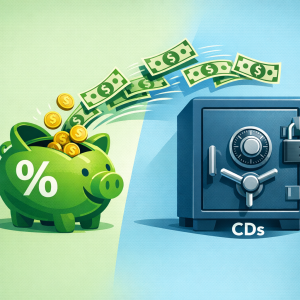
Start with round-ups, then add a small paycheck-percentage transfer once you trust the rhythm. Keep a buffer in checking so automated transfers never trigger an overdraft. When your emergency fund is full, decide where idle cash should sit next — for example, whether to lock in a CD or Treasury — and consider building additional steady income streams over time.
Key Takeaways
- Automatic savings apps remove willpower from the equation by saving before you can spend.
- Round-ups, paycheck splits, AI analysis, and custom rules each suit a different type of saver.
- Send transfers to a high-yield, FDIC-insured account and keep a checking buffer to avoid overdrafts.
- Once your emergency fund is set, move surplus savings into investments to grow it faster.
More Frequently Asked Questions
Should I use more than one automatic savings app?
Usually one is enough. Running several round-up apps on the same card can pull more than you expect and complicate tracking. Pick the app that matches how you bank, and add a second only if it serves a distinct goal, such as investing versus a cash emergency fund.
Where should my automatic savings actually go?
Aim for a high-yield, FDIC-insured savings account so your money is protected and still earns interest. You can confirm an institution’s coverage using the FDIC’s deposit insurance resources before linking accounts.
Can automatic saving cause overdrafts?
It can if you cut your checking balance too close. Keep a small buffer and start with modest round-ups. The classic “pay yourself first” approach, explained on Investopedia, works best when transfers are sized so you never notice them.
Related Reading: Before you automate, decide on a number. See how much you should save in 2026.