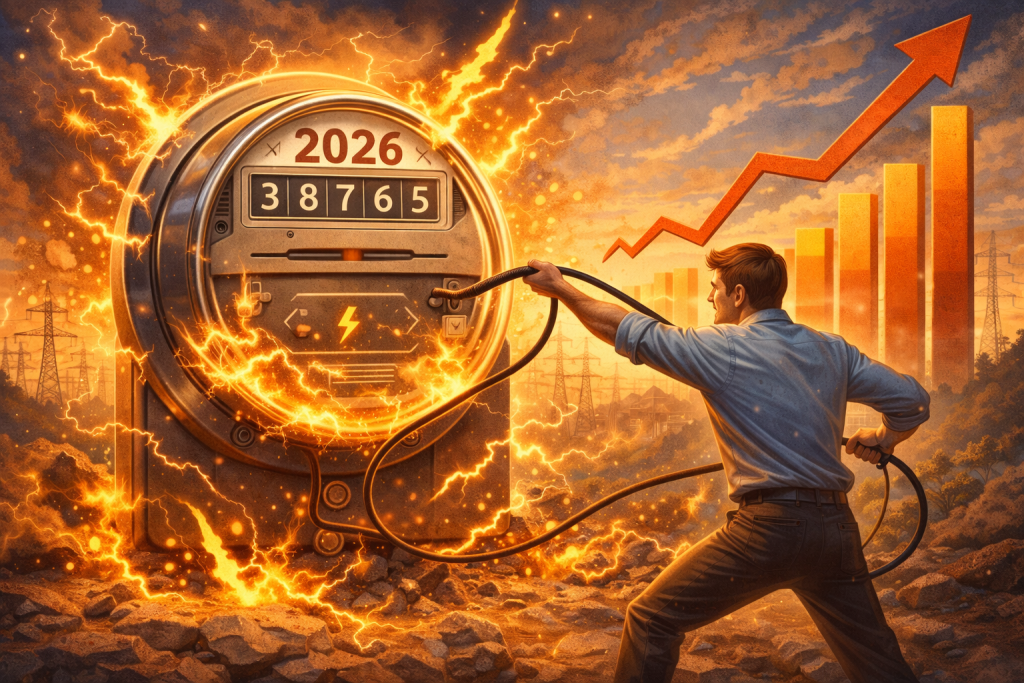
At this point, are you really “shocked” by the price of your monthly utility bill? Since 2021, residential energy rates have increased approximately 30%. More worryingly, nearly 80 million Americans struggle to pay their utility bills, sacrificing basic expenses such as food, education, and health care.
We used to blame heatwaves and polar vortex patterns, but the current price hike is caused by a perfect storm: repairing aging infrastructure, modernizing the grid, and the insatiable demand for electricity generated by AI data centers, which are expected to consume about 6.7 to 12% of total U.S. electricity by 2028.
In particular, across California, the Northeast, and New England, these costs are reaching record levels. Although you cannot control the global AI boom or infrastructure costs, you can control the “vampires” in your own living room. Even when they’re “off,” these devices consume 5% to 10% of energy.
At today’s rates, that’s more than just pocket change — it’s a budget-destroying leak. Thankfully, this guide will reveal how to identify and slay the top energy vampires.
Table of Contents
ToggleIdentifying the Primary Sources of Waste
To lower your utility bill, you need to look outside the obvious high-energy tasks like dryers and air conditioners. Most of your monthly expenses come from “phantom loads” — devices that remain in a state of readiness even when not in use. Today, passive consumption is not a negligible side effect; it’s a mechanical consequence of our “always-on” digital lifestyle. If you identify these specific hardware categories, you can reduce unnecessary electricity without sacrificing convenience.
Entertainment systems: The standby drain.
Often, passive energy consumption takes place right in your living room. Specifically, the entertainment center is a hub for phantom loads, the electricity drawn by devices in standby mode, even when they’re not on.
- The culprits. 4K smart TVs and gaming consoles. For background updates, modern systems like the PS5 and Xbox Series X/S usually default to “Instant On” or “Rest Mode.” However, just idling can cost an average household $50–$100 annually.
- The fix. Set your console to “Energy Saver” mode. Although this adds roughly 15 seconds to your initial boot-up, it reduces standby power consumption by over 90%. To disable the “Quick Start” or “Wake-on-LAN” features that keep the processor active while the screen is off, navigate to the TV’s settings menu.
Kitchen dynamics: The digital draw.
Most people believe that appliances only cost money when they’re actively used. As electricity rates rise, the cumulative draw of small kitchen tech is becoming more expensive.
- The culprits. Coffeemakers and toaster ovens with digital displays. Any device with a digital clock, a glowing LED status light, or touch-sensitive controls draws current. If a smart coffee maker’s heating element is primed or waiting for a Wi-Fi command, it can draw up to 15 watts continuously.
- The fix. If you’re not using appliances with clocks, simply unplug them between uses. To ensure convenience without 24/7 drainage, set a mechanical outlet timer to power on 30 minutes before your usual wake-up time.
The home office: The peripheral pulse.
Increasingly, remote work has become the norm, resulting in spikes in monthly utility bills. Hardware in these offices never truly “sleeps.”
- The culprits. Laser printers and desktop monitors. Because laser printers periodically draw power to keep their internal fusers warm, they are particularly inefficient. Similarly, multi-monitor setups require several watts even when the computer is asleep.
- The fix. Consider using an Advanced Power Strip (APS). When your PC is turned off, these strips automatically detect the drop in wattage and shut off all peripheral power. By doing this, you effectively turn off all of your computers’ speakers, monitors, and printers.
Smart connectivity: An always-on network.
In the modern home, the sheer volume of “always-on” infrastructure has a compounding effect on your meter.
- The culprits. Mesh Wi-Fi systems and smart speakers. Smart speakers, for example, use very little energy; however, the average home has 21 or more connected devices. This combination of “always-ready” listening devices and signal boosters can increase your annual energy bill by $20–$40.
- The fix. Although your primary router cannot be unplugged, you can optimize its performance with “Power Scheduling.” In most modern mesh systems, you can schedule the Wi-Fi signal to turn off automatically when you’re sleeping to reduce the constant draw and extend the hardware’s life.
Water heating: The constant consumer.
While a water heater isn’t technically a phantom load, it is typically the second-highest energy user in a home, accounting for around 18% of your energy. As a result of “standby heat loss,” standard tank models continually reheat 40 to 50 gallons of water regardless of how much water is used.
- The culprits. Standard electric tank heaters. Older units are particularly prone to inefficiency due to sediment buildup and deteriorating insulation. With rising utility rates, this constant reheating produces significant waste, essentially keeping a massive reservoir on a low boil at all times.
- The fix. By lowering the thermostat to 120°F, you can reduce your heating costs by up to 22%. For further mitigation, wrap the first 6 feet of hot water pipes with foam insulation and consider installing a timer to avoid cycling during peak periods. Also, upgrading to an energy-efficient tankless or heat pump water heater could save you hundreds in the long run.
High-Tech Slaying: The Tools of the Trade
To combat 2026 energy prices, you will need 2026 tools. After all, relying solely on your memory to unplug things isn’t a sustainable strategy.
Advanced Power Strips (APS).
The only advantage of standard power strips is that they provide extra outlets. To determine whether the TV or computer is actually active, Tier 2 Advanced Power Strips use infrared sensors. When the room is empty or the device is idle, it cuts power to you. In five years, users could save up to $300 on energy costs.
Energy monitoring plugs.
It’s also a good idea to buy a cheap Wi-Fi-enabled energy-monitoring plug if you’re not sure which gadget is the “Alpha Vampire.” By connecting your phone, this plug shows you how much energy your devices consume in real time. There’s a possibility that your 10-year-old “beer fridge” in the garage is the main reason your bill keeps going up.
The “kill switch” outlet.
If you’re planning to build or renovate, think about switching outlets. With just one physical light switch by the door, you can switch off an entire wall of electronics. Whether it’s for the guest room or home theater, it’s the ultimate “vampire slayer.”
Beyond the Vampires: The 2026 Survival Strategy
While slaying vampires is the easiest way to reduce your bill, the 2026 energy landscape demands a two-pronged attack: reducing waste and managing Time-of-Use (TOU) rates.
Beware the “peak hour” trap.
Utility companies in the Northeast and California are increasingly using TOU pricing. As a result, electricity can cost three times as much between 4:00 PM and 9:00 PM as at midnight.
You should therefore schedule your “Heavy Lifters,” such as dishwashers, dryers, and EV chargers, for off-peak hours. You can also delay the start of most modern appliances by using the “Delay Start” button.
The AI infrastructure surcharge.
In some regions, “Infrastructure Access Fees” are being implemented to help fund grid expansions required by data centers. Although these fees cannot be avoided, staying below certain usage tiers may keep your basic rate lower. When it comes to Tier 1, killing energy vampires can often mean the difference between staying there and being forced to move to Tier 2.
The Bottom Line
In the past, energy-inefficient homes were a minor inconvenience. Nowadays, it’s a financial liability. With smart technology, you can automate the execution of devices that bleed power in the shadows, reclaiming hundreds of dollars each year.
Grid prices aren’t falling, and demand from AI isn’t slowing down either. Having a home that only uses power when you’re actually there is your best defense.
Ready to start the hunt? Unplug one unused charger today. While it’s a small step, every watt counts these days.
FAQs
Does unplugging my phone or laptop charger actually save money if no device is attached?
Yes, but individual savings are minimal. When idle, modern chargers draw very little electricity (less than 0.5 watts). Nevertheless, this “vampire” draw can add up to $10–$20 per year in a 2026 household with tablets, headphones, and power tools. Heat is the bigger issue; a plugged-in charger that feels warm wastes energy.
Are there still federal tax credits available for energy-efficient upgrades in 2026?
Most residential incentives have expired by January 1, 2026, including Section 25C (Energy Efficient Home Improvement Credit) and Section 25D (Residential Clean Energy Credit). As such, you can no longer claim the 30% credit for solar panels or HVAC upgrades after December 31, 2025. Nevertheless, many states offer independent rebate programs to fill the gap left by the expired federal credits.
Why am I being told that AI is making my personal electricity bill more expensive?
Unlike traditional searches, AI queries can consume up to 10 times as much energy as traditional data centers. To meet this demand, utility companies are rushing to complete “grid modernization” projects as quickly as possible. Even if you aren’t using AI tools, these new high-capacity lines and substations are passed on to homeowners through infrastructure recovery fees or higher base rates.
Is “Sleep Mode” on my computer different from “Hibernation” for energy savings?
Significantly, yes. While Sleep Mode keeps your RAM powered, it still draws a “phantom load.” Hibernation, on the other hand, saves your open programs to the hard drive and completely powers down the computer. For your home office setup, switching from Sleep to Hibernation (or a complete shutdown) can save approximately $30–$50 per year compared to leaving it in Sleep mode.
Does turning a device on and off frequently use more energy than just leaving it on?
This is an old myth from the days of fluorescent lights and tube TVs. Laptops, LED bulbs, and solid-state electronics use almost no extra energy during startup. With high energy prices, turning on a device is negligible when compared with leaving it running for even ten minutes longer. If you aren’t using it, turn it off.
Image Credit: ChatGPT/Albert Costill